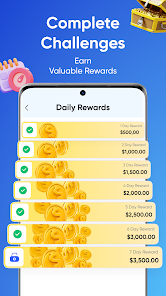
Searching for a GoCrypto app download drops you into a minefield of lookalike buttons. There is exactly one real app — Gocrypto: Crypto Trading, package name academy.gocrypto.trading, published by MOBILE EDTECH SOLUTIONS LIMITED out of Limassol, Cyprus — and there are dozens of APK mirrors, "mod" versions and outright clones orbiting around it. We’ve been auditing crypto software since 2017, and download pages are where most users get hurt before they’ve even opened an app. So let’s do this properly.
One thing before anything else, because it shapes every security decision on this page: GoCrypto is a trading and mining simulator with an educational academy bolted on. It is not an exchange, not a wallet, not a broker. All balances inside it are virtual. That’s not a criticism — it’s arguably the safest way to learn — but it means anyone telling you to "download GoCrypto to start earning" is lying to you before you’ve tapped a single button. If that’s news to you, read our full explainer on what GoCrypto actually is first.
The only safe download sources, in one table
We verified each of these in July 2026. Bookmark this table and ignore everything else.
| Platform | Where to get it | How to verify it’s real | Our verdict |
|---|---|---|---|
| Android | Google Play, listing for "Gocrypto: Crypto Trading" | Package academy.gocrypto.trading, developer MOBILE EDTECH SOLUTIONS LIMITED, 25M+ downloads, ~4.56 rating | Recommended. Play verifies the developer signature for you. |
| iPhone / iPad | App Store, App ID 6751225067 | 4.7 rating, iOS 15.0+, ~128 MB, 18+ age label | Recommended. Apple’s review process filters most clones. |
| Mac (M1 and newer) | Mac App Store — same iOS app running natively on Apple Silicon | Same App ID; listed as "Designed for iPhone" | Fine. No separate desktop build exists, this is the official path. |
| Apple Vision | App Store on visionOS | Listed compatibility per the official App Store page | Works, though a floating candlestick chart is more novelty than utility. |
| Windows PC | No official option. Android emulator only (BlueStacks, Google Play Games beta) | Install only from Google Play inside the emulator | Acceptable with caution — see the emulator section below. |
| APK mirror sites | APKPure, APKMirror, "gocrypto-apk-download" sites | You mostly can’t, and that’s the problem | Avoid. Explained in painful detail below. |
According to the official Google Play listing, the app has been live since August 2024, sits in the top 20 of the Business category, and the current 1.3.x version was updated in April 2026. On iOS, the App Store listing shows a 4.7/5 rating and an 18+ age label carrying the phrase "frequent simulated gambling" — more on that flag later, because it matters.
Why we tell everyone to skip the APK sideload
Every week someone asks us for a "GoCrypto APK download" link, usually because Google Play is region-locked on their device, or they want an older version, or a YouTube video promised a "mod with unlimited balance". Here’s the security reality, on fingers.
When you install from Google Play, three checks happen invisibly: the store confirms the package name, verifies the APK is cryptographically signed by the same developer key as every previous version, and scans it with Play Protect. When you sideload an APK from a mirror, you become the security department. Almost nobody manually verifies an APK signing certificate — be honest, do you know how to run apksigner verify? — so in practice a sideloaded APK is an act of blind trust in whoever runs the mirror site.
And crypto-themed apps are the single most cloned category we see. The scam pattern is well-worn: take a popular app’s branding, repackage it with an info-stealer or a fake "live trading" interface, and distribute it through mirrors and Telegram channels. With GoCrypto the irony is thick — the real app can’t take your money by design, so scammers wrap malware around its brand to do what the original never could. The fake versions typically add a "deposit to unlock withdrawals" screen. The real simulator has no deposits and no withdrawals, period — we dedicated an entire page to why you can’t withdraw money from GoCrypto.
If you absolutely must sideload
We won’t pretend the scenario doesn’t exist — some regions genuinely can’t access the Play listing. If you’re in that position: use a mirror with a long reputation history, compare the APK’s SHA-256 checksum across at least two independent mirrors before installing, confirm the package name is exactly academy.gocrypto.trading (one changed letter is a different app), check the signing certificate matches earlier versions if the mirror publishes it, and never grant the installed app SMS, accessibility or device-admin permissions. A trading simulator has zero legitimate need for any of those. If the app asks, uninstall immediately.
System requirements: what it actually needs
| Spec | iOS | Android |
|---|---|---|
| Minimum OS | iOS 15.0+ (per the App Store listing) | Android 8+ works fine in our tests |
| Download size | ~128 MB | Similar; varies by device |
| RAM | Any supported iPhone | 2 GB+ recommended for smooth charts |
| Network | Required — quotes are live, streamed 24/7 into the simulation | |
| Age rating | 18+ ("frequent simulated gambling") | Rated for the ads and simulated-trading content |
| Price | Free, with ads and optional in-app purchases | |
Two notes from testing. First, the app streams real-time market data around the clock, so it is chattier on the network than an offline game — on a metered connection, background refresh is worth disabling. Second, that 18+ rating is not decoration. Apple’s "frequent simulated gambling" label reflects the dopamine loop of rapid simulated trades, daily rewards and leaderboard competition. We think the simulator is a genuinely useful training tool, but if you’ve struggled with gambling mechanics before, take the label seriously.
Step-by-step: a clean install, the auditor’s way
- Go to the store directly. Open Google Play or the App Store yourself. Don’t follow buttons from ads, influencer bios or forwarded messages — even "official-looking" ones. Typing the search yourself removes the single largest phishing vector.
- Match the identity, not the logo. Logos are trivially copied. Verify the developer field reads MOBILE EDTECH SOLUTIONS LIMITED, and on Android that the package is
academy.gocrypto.trading. On iOS, the listing URL should containid6751225067. - Sanity-check the numbers. The real listing shows 25,000,000+ downloads and roughly 170,000 ratings on Play (checked July 2026). A clone with 5,000 downloads and forty suspiciously glowing reviews fails this test instantly.
- Install and audit permissions. After install, visit your OS permission settings before first launch. Deny anything unrelated to a simulator. Notifications are your call — the app uses them for daily-reward nudges, which is retention marketing, not information you need.
- Read the first-run disclaimer. The app states that success in the simulator does not guarantee success in actual trading. That sentence is the most honest thing in most crypto apps’ onboarding. Internalize it.
- Register with intention. Sign-up asks for contact details, and per the privacy labels, name, email and user IDs are collected and linked to your identity. Use an email alias and a unique password. Our sign-up walkthrough covers this screen by screen.
No desktop app: your real options for Mac and Windows
Let’s kill a persistent myth: there is no official GoCrypto desktop application for Windows, and no separate macOS build. Any "GoCrypto for PC.exe" download is malware wearing a costume — no exceptions, because there is no legitimate file it could be.
On a Mac with Apple Silicon (M1, M2, M3 and newer), the story is pleasant: the iOS app runs natively. Open the Mac App Store, search for the app, and install it like any Mac software — Apple’s listing confirms compatibility with M1+ Macs. You get the phone interface in a window, which is actually decent for studying candlestick charts on a bigger screen while you work through your first simulated trades.
On Windows, the only path is an Android emulator. Google Play Games for PC (beta) and BlueStacks are the two we’d consider. The critical rule: sign in to Google Play inside the emulator and install from the store there — do not drag random APKs into an emulator, which combines sideloading risk with an environment where malware analysis tools often don’t run. Also accept the trade-offs: emulators are heavy, occasionally flagged by anti-cheat systems of other software, and Google’s beta doesn’t carry every app in every region.
Updates: what the version history tells us
The app shipped in August 2024 and the listing shows version 1.3.x as of April 2026 — a steady, unspectacular release cadence of a maintained product rather than an abandoned one or a churn-heavy one. That matters for two reasons.
First, security patches ride on updates. A simulator holds no coins, but your account holds your email, password hash and usage history, and the app ships ad SDKs — precisely the components that get patched in point releases. Leave auto-updates on in both stores; there’s no trading-position risk to updating a simulator mid-week, which is more than we can say for real exchange apps.
Second, updates are a fingerprint check. Play and the App Store only accept updates signed by the original developer key. If you ever see an "update" prompt outside the store — a popup, an email, a Telegram message with an APK attached — that is a phishing attempt with 100% certainty. Real updates never arrive by DM.
What changed across versions, roughly
From the changelogs and our own periodic reinstalls: the 1.1 line focused on the academy lessons and localization (the app now runs in English plus 16 more languages, per the App Store listing), 1.2 expanded the weekly competitions and leaderboards, and the 1.3 line has mostly been performance work, ad-mediation updates and new achievement tiers with the virtual-property collection. Nothing in any version adds real-money functionality — the day a "deposit" button appears in a changelog is the day we rewrite this entire site, and we’re not holding our breath.
What happens right after install (so nothing surprises you)
The onboarding funnel is polished and, like all polished funnels, slightly pushy. Expect this sequence: a language picker, a short quiz about your experience level, the disclaimer screen, then an account-creation wall. After registering you receive a virtual starting portfolio — play money — and the app immediately dangles a daily-reward streak and a first academy lesson.
Our advice, having watched dozens of new users: do the first lesson before the first trade. The academy is genuinely the best part of the product, and the trading screen makes more sense once you’ve met the vocabulary. Also expect ads — the app is free because you are watching them — and expect in-app purchase offers for cosmetic boosts and reward multipliers. None of them are necessary. You cannot buy an edge that matters, because nothing in the app converts back to real money anyway. Spending real money to multiply fake money is a decision we’ll leave to your conscience.
⚠️ High-risk warning: the moment you leave the simulator for a real exchange, every mistake costs actual money. Fake download pages are annoying; a fake exchange is catastrophic. Build the verification habits from this page — check developer identity, package names, signatures, and never trust DM links — before you graduate to platforms where funds are real.
Troubleshooting the download and install
"Item not available in your country". The listing isn’t universal. Options: wait (coverage has expanded since 2024), use a family member’s account region if you legitimately live between countries — or accept it. What we don’t recommend: spoofing regions with a throwaway account and then attaching your real email to the app anyway, which is the worst of both worlds, or "solving" it via APK mirrors, for every reason above.
Install hangs or errors on Android. The boring fixes work: clear Google Play’s cache, ensure 500 MB+ free storage, reboot, retry. Error 907/963 class problems are storage-mount issues — move the install target to internal storage.
App installs but crashes on launch. Usually an outdated Android System WebView on Android or a very old iOS build. Update the OS component, not just the app. On iOS 14 or below, the app simply won’t install — iOS 15.0 is the documented floor.
You can’t find the app at all in search. Type the full name "Gocrypto: Crypto Trading". A bare "gocrypto" search sometimes surfaces the unrelated GoCrypto payments ecosystem — that’s a Slovenian merchant-payments network by Eligma Labs with its own wallet app and GoC token, no relation to the simulator whatsoever. Two products, one name, endless confusion; we untangle it fully in our GoCrypto wallet guide.
Our verdict on the download experience
What we like
- Free, small (~128 MB) and available on both major stores with verifiable developer identity
- Runs natively on Apple Silicon Macs — a rare bonus for a mobile-first app
- Steady update cadence since August 2024; not abandonware
- No real-money rails means a compromised account can’t drain funds — the blast radius is inherently small
- Honest first-run disclaimer about simulator results vs real trading
What we don’t
- Ad-supported, with in-app purchases nudged early and often
- Privacy labels disclose identifier tracking across apps and sites
- 18+ "frequent simulated gambling" label — deserved, and worth heeding
- No official Windows path; emulators are a clunky workaround
- The name collision with the Eligma payments product makes searching genuinely confusing
Bottom line: downloading GoCrypto safely takes ninety seconds if you go straight to the official stores and thirty seconds of verification once you’re there. Everything dangerous about the process lives outside those stores. Get the real app, skip the mirrors, deny the weird permissions, and then spend your energy where it pays off — learning to actually trade inside the sandbox before any real money is ever on the line.
Done practicing?
Open a Live Trading Account →